

API Keys
An API key lets your servers list your organization’s projects and topics, and search topics, through the Content API. You don’t need a key to read a topic’s content: that endpoint is public.
API keys belong to your organization and work for all its projects. They are not Feed API keys, which LoopFeed issues separately.
Create a key
Section titled “Create a key”-
Open Settings → API Keys and click Create API Key.
-
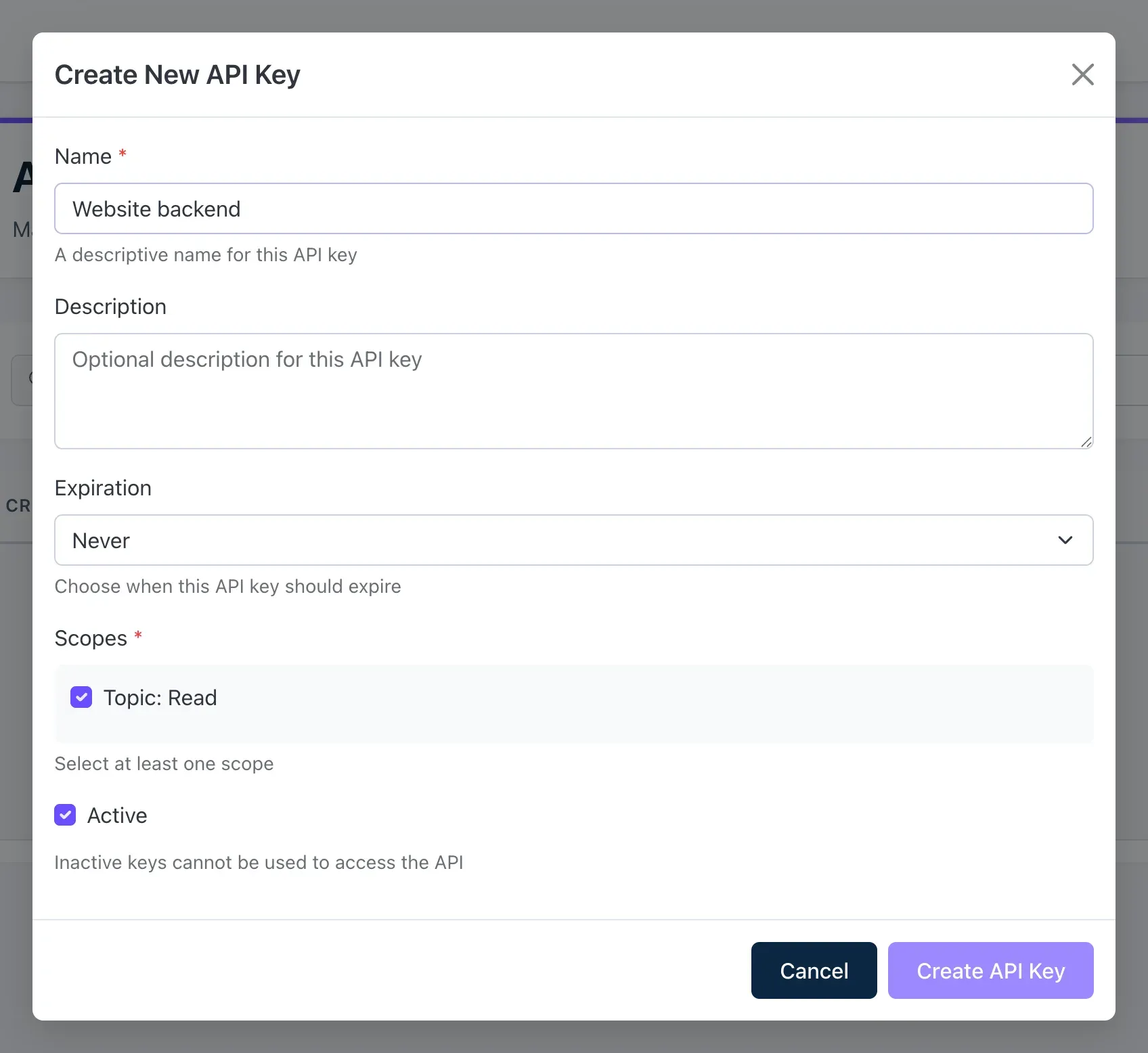
Enter a Name that says where the key is used, for example Website backend, and an optional Description.
-
Choose when it should expire: Never, or after 30 days, 60 days, 90 days, 1 year or 2 years.
-
Leave Topic: Read and Active ticked and click Create API Key.
-
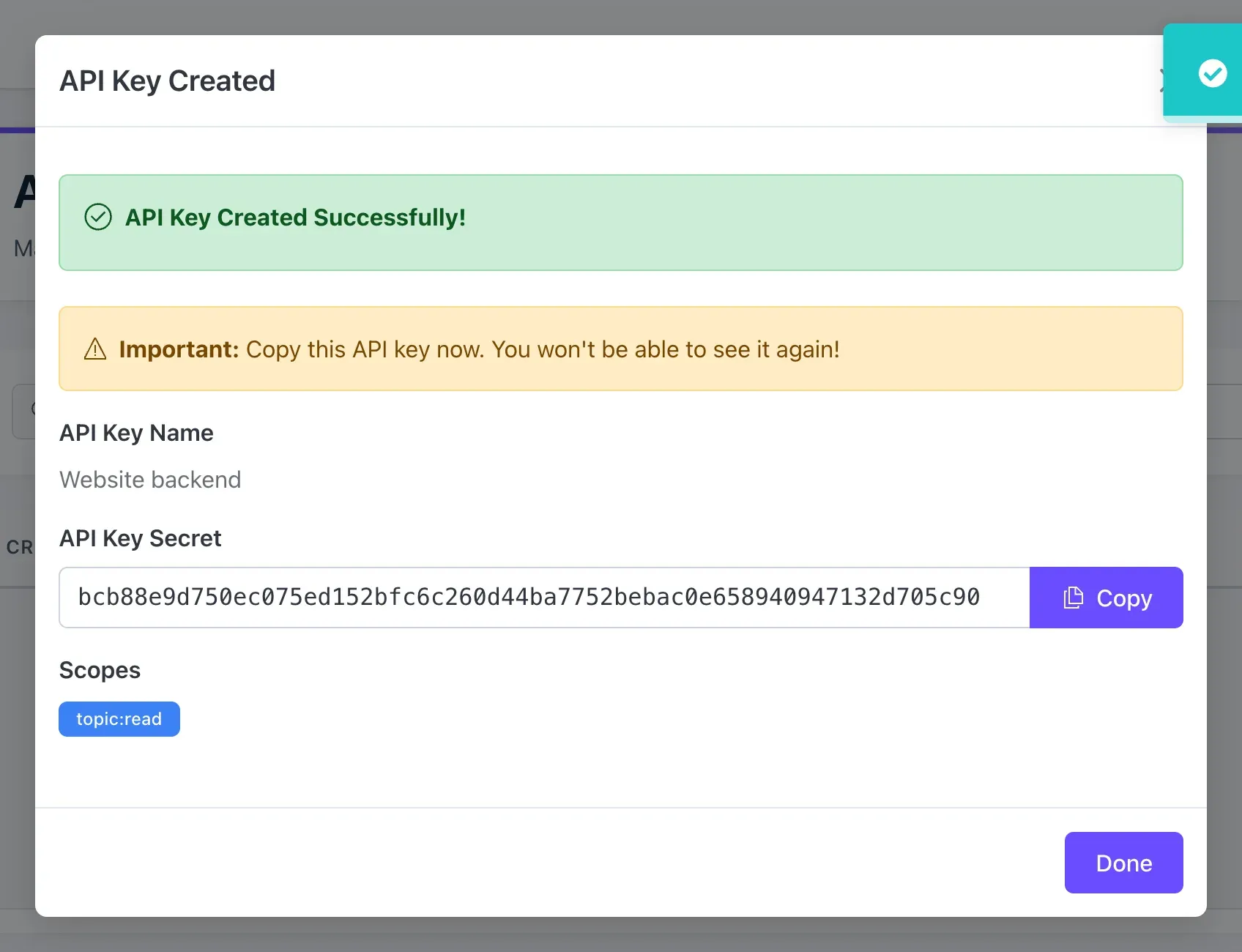
Copy the API Key Secret with Copy and store it somewhere safe, such as your server’s secrets. It’s shown only once. Then click Done.
Send the key in the X-Api-Key header:
curl -H "X-Api-Key: your-api-key" https://q.loop-feed.com/v1/projectsManage keys
Section titled “Manage keys”Settings → API Keys lists your keys with their status and expiry date.
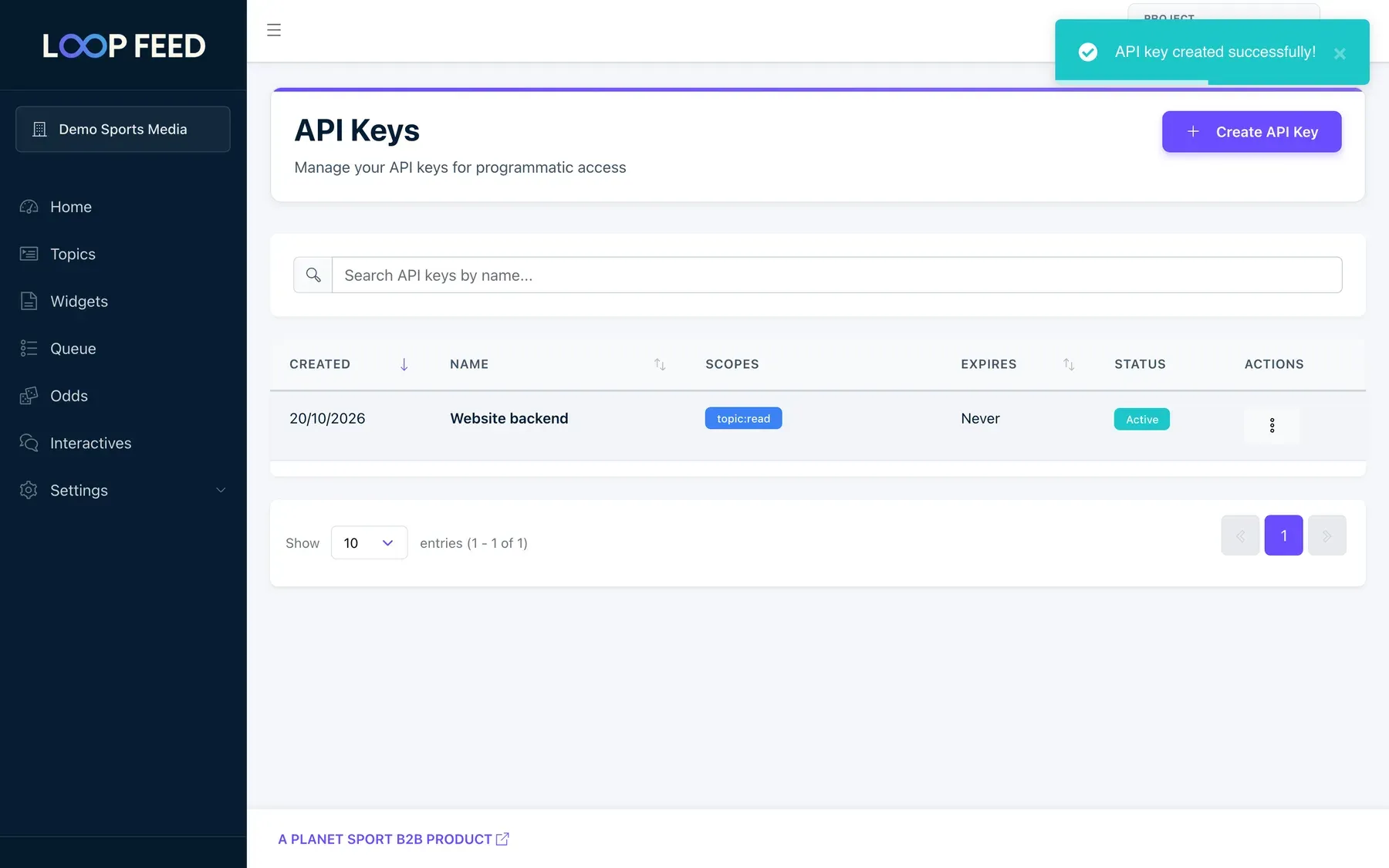
- Edit to rename a key, change its expiry or untick Active to pause it. A paused key stops working straight away. New Expiration keeps the current expiry unless you choose another.
- Delete to remove a key for good. Apps still using it stop working straight away.
You can’t see a key’s secret again. If it’s lost, create a new key, switch your servers to it, then delete the old one.