

AI curation
AI curation reads each post and labels it, so you don’t have to tag content by hand. For every post it works out:
- Content type: highlights, clip, photo, match report, interview and so on, fitting what the post is: a clip is always a video, a photo always an image. See the full list.
- Sport: football, rugby league or rugby union.
- Match: the game the post is about, if it is about one.
- Teams, players and competitions the post is about.
The labels appear on your queue items. Use them to filter your queue and your API results, for example to show only highlights of one match.
Turning it on
Section titled “Turning it on”AI curation is switched on for your whole organization by LoopFeed. To get it, contact your account manager.
When it is on, every topic shows AI curation: On for your organization on its details tab. There is nothing to set up per topic. When it is switched on, items from the last 7 days get their labels too.
Which posts get labels
Section titled “Which posts get labels”LoopFeed’s AI curates posts from the sources LoopFeed has chosen: clubs, leagues, broadcasters and publishers. Posts from other sources in your topics have no labels. If a source you use often isn’t labelled, ask us to add it.
A new post usually gets its labels a few minutes after it arrives. Until then the item shows AI pending.
Labels in your queue
Section titled “Labels in your queue”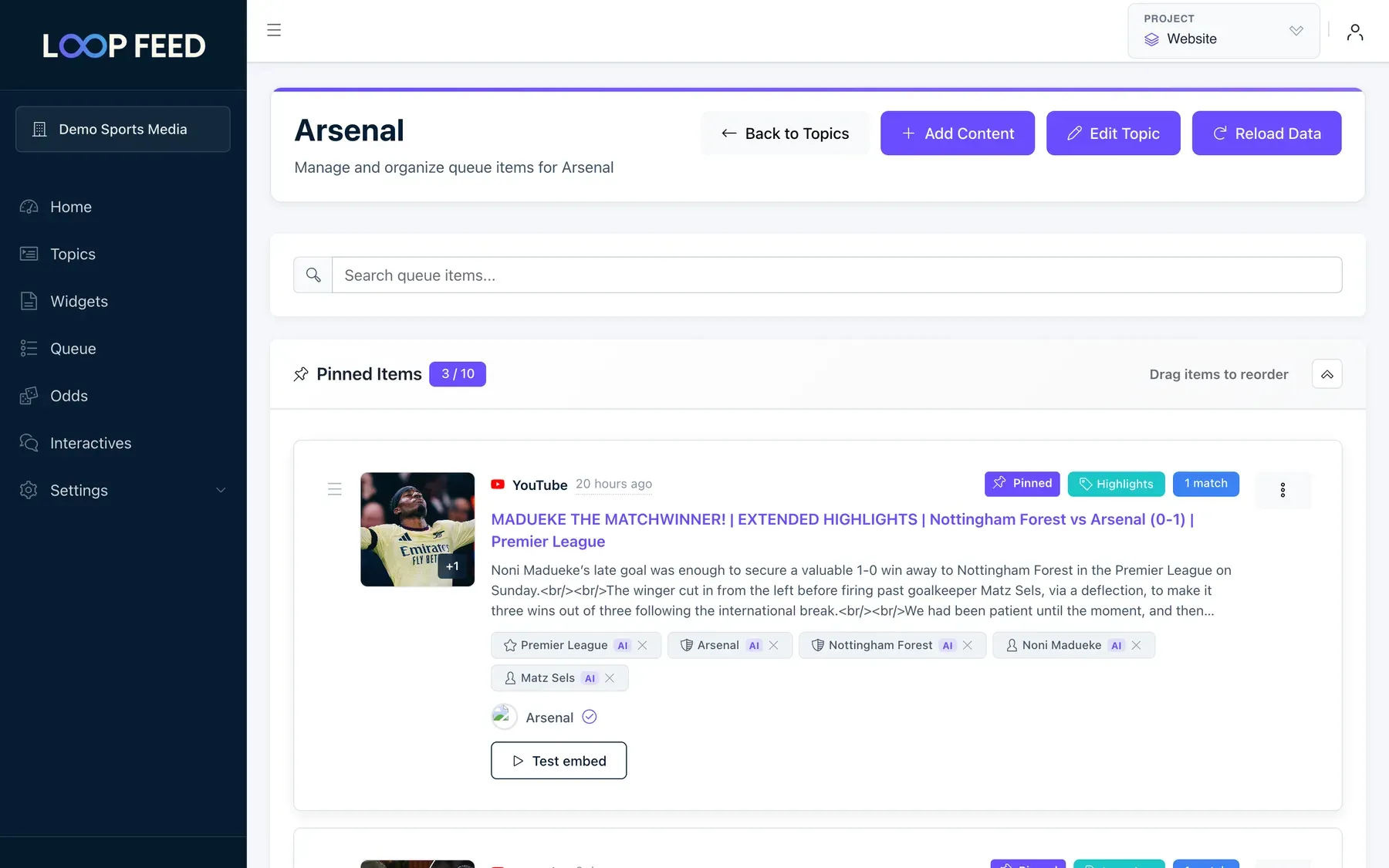
Each labelled queue item shows:
| Label | What it means |
|---|---|
| Green tag, for example Highlights | The content type. |
| Blue 1 match | The match the post is about. Hover to see the teams. |
| Team, player and competition chips | Who and what the post is about. AI marks the ones the AI added. Hover for the AI’s confidence. |
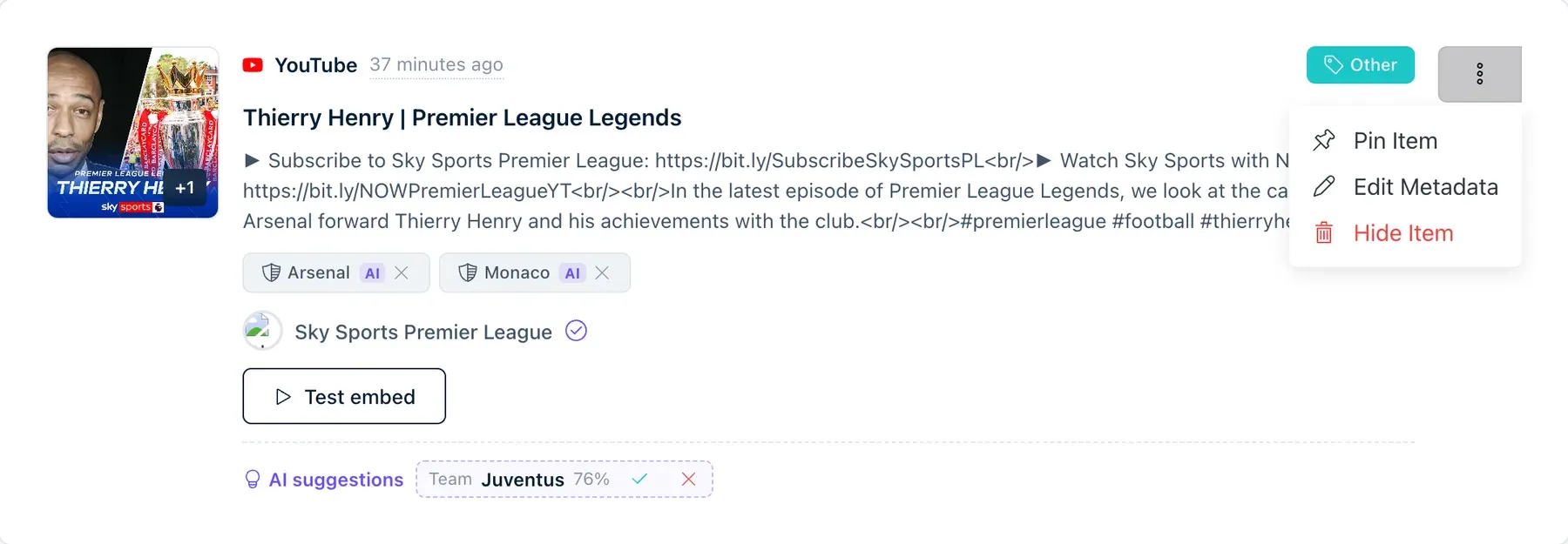
| AI suggestions | Labels the AI thinks are likely but isn’t sure about. Click ✓ to Confirm or ✕ to Reject. |
| AI pending | The post is waiting for the AI. |
| AI failed | The AI couldn’t label this post. Hover to see why. You can still label it yourself. |
To see only one type of content, use the All Content Types filter at the top of the queue.
Fixing a label
Section titled “Fixing a label”The AI can be wrong. Your fixes are kept for your topic, and the AI never overwrites them.
-
Click the content type tag or the match badge on the item. You can also open the item’s ⋮ menu and choose Edit Metadata.
-
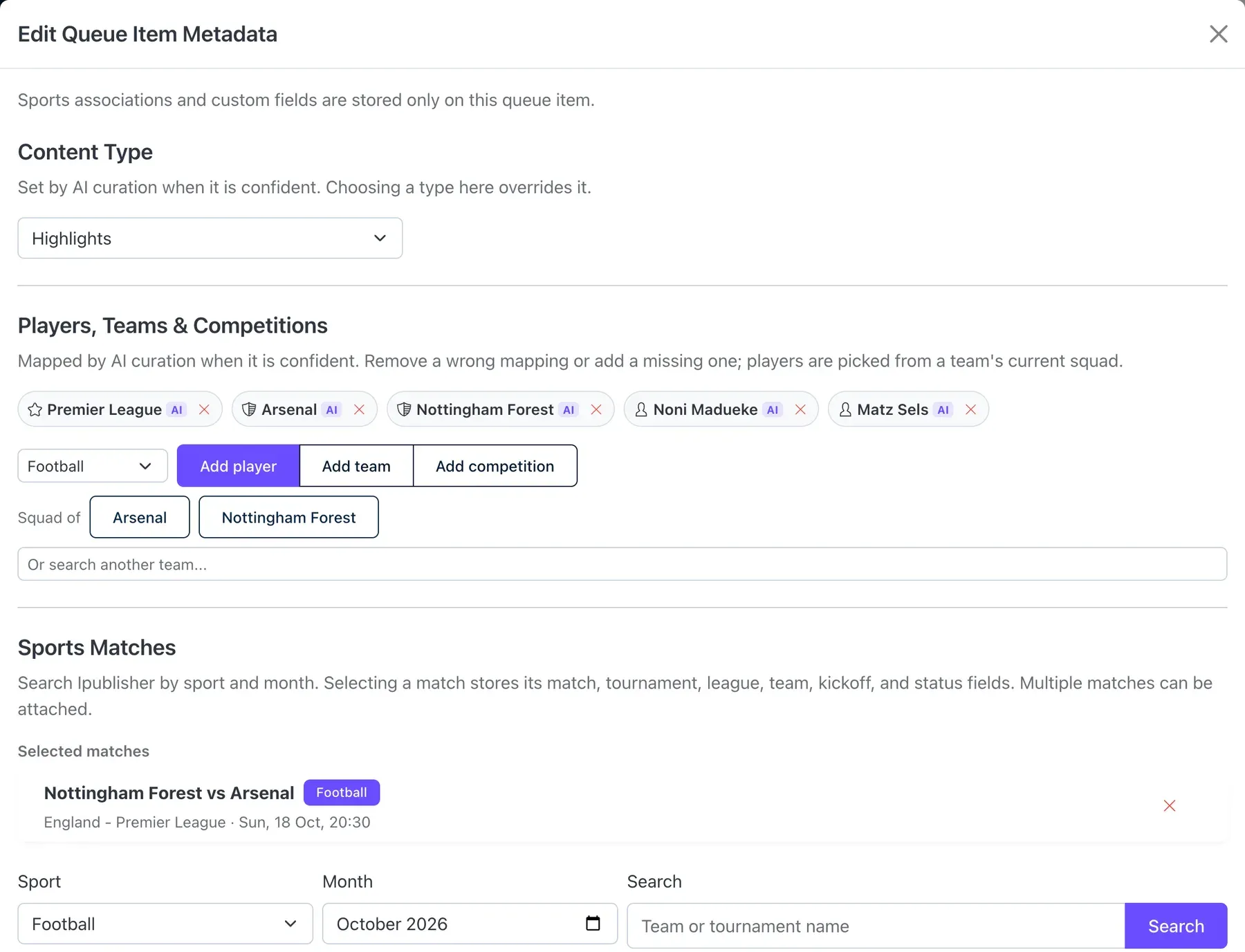
In Edit Queue Item Metadata:
- Content Type: pick the right type.
- Players, Teams & Competitions: remove a wrong chip with ✕. To add one, choose the sport, then Add player, Add team or Add competition, and search. Players are picked from a team’s current squad.
- Sports Matches: change or remove the match.
-
Click Save Metadata.
To remove a wrong team, player or competition quickly, click the ✕ on its chip directly in the queue.
How the AI decides
Section titled “How the AI decides”AI curation is built to leave a label out rather than add a wrong one.
- Confident labels only. A match, team, player or competition is added only when the AI is at least 80% sure. Between 50% and 80% it becomes an AI suggestion for you to confirm or reject. Below that, it is dropped. A content type is set when the AI is at least 60% sure; otherwise its best guess is shown as a suggestion.
- Sport first. Teams, players, competitions and matches are only added when the AI is sure which sport the post is about. A story about “Leeds” is not tagged with both Leeds United and Leeds Rhinos.
- The post’s own story. Names that only appear in channel descriptions, hashtag lists or “subscribe” text don’t count.
- Matches nearby. The AI considers matches from 4 days before to 7 days after the post was published, involving the teams in your topic or named in the post. It picks one match at most. Words like “tonight” or “Saturday” help it choose between them.
- Teams and players it knows by name (football): the current teams and squads of the Premier League, Championship, League One, League Two, Scottish Premiership, LaLiga, Bundesliga, Serie A, Ligue 1, Eredivisie, Liga Portugal, Belgian Pro League, Süper Lig, Champions League, Europa League and Conference League, plus your topic’s teams and competitions. Rugby has no player data, so rugby posts get teams, competitions and matches only.
Posts that are about several matches, such as a round-up of the weekend’s goals, usually get no match. Neither do posts that only name teams by nickname, handle or hashtag.
Using labels on your site
Section titled “Using labels on your site”- Topic content API: add
contentTypeormatchIdto/v1/topic/{topicId}/content. For example,?contentType=highlightsreturns highlights only. - Feed API: get every curated post about a match, team, player or competition across all of LoopFeed, without setting up topics. See Feed API.